
Blog posts tagged "GUI"
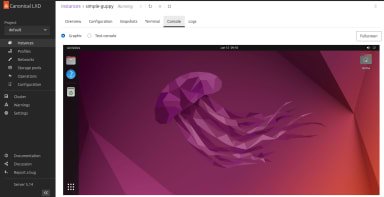
Early access to LXD graphical user interface is now available.
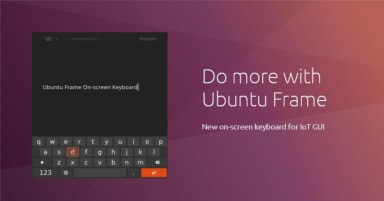
Isn’t it nice when things just work? When you don’t have to worry about every single detail but only about what creates value? Imagine that you are building a digital kiosk using a touch screen. To log in, users need to input their credentials. Do you want to spend time integrating an on-screen keyboard or

What’s new? This new release of MAAS brings three key new benefits: Virtual machines with LXD (Beta) Tighter, more responsive UX External/remote PostgreSQL database If you know what you want, go to maas.io/install, otherwise let’s dive in and explore these further. Virtual machines (VMs) with LXD (Beta) MAAS 2.8 can set up L XD-based VM
Microsoft Build, Microsoft’s annual developer conference, is taking place virtually May 19-20. Ubuntu will be featured throughout the event, in announcements of new WSL features, demos of cloud-native development on Microsoft Azure, and by presenters using Ubuntu desktop with native Microsoft applications like Teams, Code, and Edge: GPU a

In the Juju GUI 2.11.1 release, we are excited to bring a new feature we’ve been working on for a while now: the shell in the GUI. The GUI is a powerful tool, but at times the command-line is necessary. For instance, the ability to SSH into a unit helps for debugging processes or accessing
Help your users get started with your solution by providing them the first steps in using your newly deployed bundle or charm. The latest release of the Juju GUI now displays a rendered markdown file to the user after deploying a bundle or charm with a getstarted.md file. Adding this functionality to your bundle deployments
As clouds for IT infrastructure become commonplace, admins and devops need quick, easy ways of deploying and orchestrating cloud services. As we mentioned in October, Ubuntu now has a GUI for Juju, the service orchestration tool for server and cloud. In this post we wanted to expand a bit more on how Juju makes it
Hardened sysadmins and operators often spurn graphical user interfaces (GUIs) as being slow, cumbersome, unscriptable and inflexible. GUIs are for wimps, right? Well, I’m not going to argue – and certainly, command line interfaces (CLIs) have their benefits, for those comfortable using them. But we are seeing a pronounced change in the in
The HUD replaces traditional menus in applications targeting Unity. Say what you mean, instead of navigating through a tree of options. Initially the HUD is shaped as a fast and smart look-ahead search through menus, but over the next four releases, it will gain more sophisticated kinds of interaction.
This article illustrates briefly the main functionalities of the Launcher for Ubuntu Netbook Edition (aka Unity) and how we got there. Don’t miss the video!